# Download iUoB on your Apple device
# Steps
Use Safari oepn Help Center - iUoB Website:https://help.iuob.uk (opens new window)
Find the share button

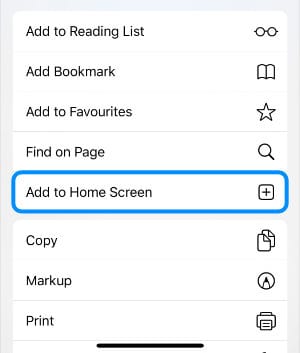
Click Add to home screen
Then click Add
 Help Centre - iUoB
 Use Safari oepn Help Center - iUoB Website:https://help.iuob.uk (opens new window)
Find the share button
Click Add to home screen
Then click Add